A student can get a polished AI explanation in seconds and still be unable to explain the idea when the screen closes. This guide is for teachers and parents of middle- and high-school students who want a simple way to tell the difference between “I saw the answer” and “I learned it.” By the end, you will have a 10-minute check you can use with any AI-generated explanation, visual, or quiz.
The routine has one firm rule: the student must produce something from memory before seeing more AI help. That blank-page moment exposes what is clear, what is shaky, and what needs a human explanation.
What changed
Google announced a new set of AI study features on August 19. Search can generate interactive visuals and customized practice quizzes, and AI Mode can organize course sources in notebooks and create study files from uploaded material. Google says English-language quizzes are available globally at no charge in AI Overviews and AI Mode. Other features are still rolling out, so a student may not see every option yet.
Independent coverage from TechCrunch describes the same shift across Search and Gemini: students can ask for a visual, create a quiz, upload class material for a study document, or use Lens for guided help as that feature arrives. These tools can make practice easier to start. They cannot tell a teacher whether the student can explain the idea without the tool.
That distinction is already part of the back-to-school conversation. The Associated Press reported on school districts teaching students to notice confident errors, verify factual information, protect personal data, and recognize when AI is the wrong tool. The U.S. Department of Education’s What Works Clearinghouse also recommends active-retrieval quizzes and teaching students to judge what they know and what still needs study.
Use the tool, then close it
AI study features are most useful at the beginning and end of a practice round. At the beginning, the tool can offer a different explanation or a visual. At the end, it can help generate questions. In the middle, the student needs a short stretch with no hints. That is where the Blank-Page Check lives.
The 10-minute Blank-Page Check
1. Set one small learning goal. Use a goal the student could demonstrate: “Explain why seasons change” is better than “study Earth science.” Start with the teacher’s directions, class notes, or assigned text. Follow school rules about approved tools, accounts, and student information.
2. Ask for one explanation. Give the AI the level, the goal, and the source boundary. Ask it to mark anything the supplied material does not support. Do not ask it to complete the assignment.
I am studying [topic] for [course or grade level]. My goal is to explain [specific idea].
Using only the notes I paste below, explain the idea in no more than 150 words and suggest one simple visual I could draw. If the notes do not support a claim, label the gap instead of filling it in.
[Paste only teacher-approved, non-sensitive material here.]
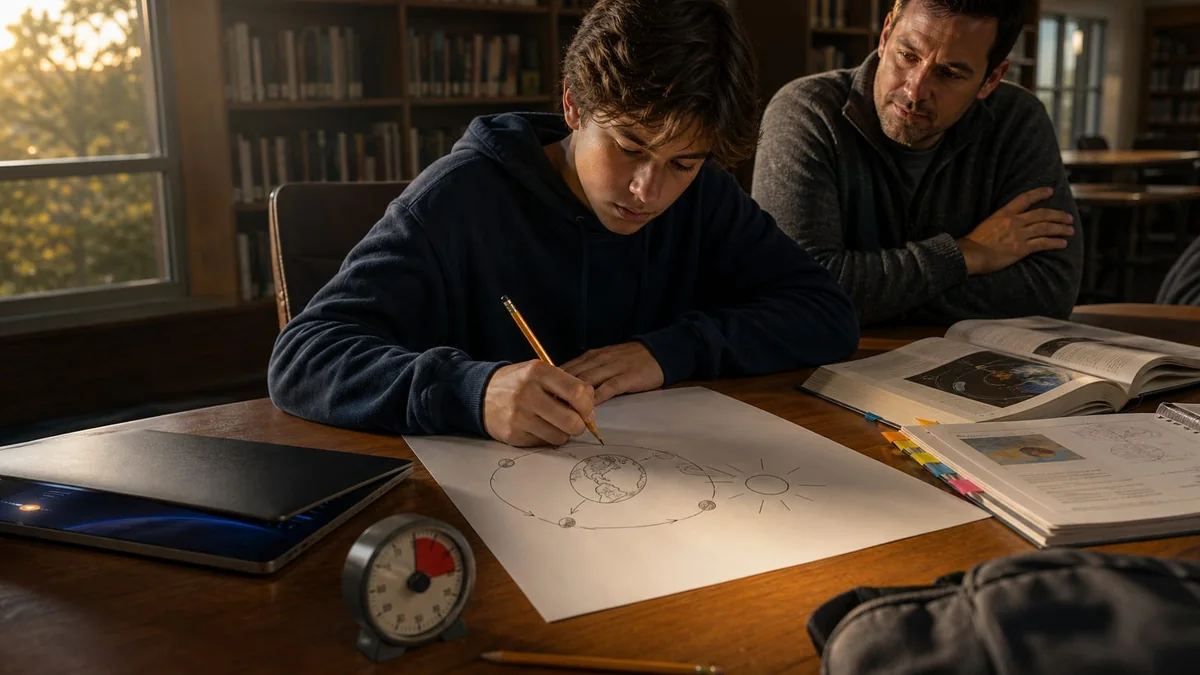
3. Close the AI and use a blank page. Set a two-minute timer. Without looking back, the student writes the main idea, two supporting details, and one question. A sketch is fine. Spelling and polish do not matter. The page is a snapshot of current understanding, not a graded performance.
4. Check against the real source. Reopen the class notes, textbook, or teacher-provided link first. Mark each statement on the blank page as supported, incomplete, or incorrect. Then compare the AI explanation. If the source and AI disagree, the source wins until a teacher or reliable reference resolves the issue.
5. Finish with three questions. Ask the AI to create one recall question, one “explain why” question, and one application question from the approved material. The student answers with the AI closed, checks the answers against the source, and records the single gap to review next.
A worked example: why seasons change
Suppose a ninth-grade student, Jordan, needs to explain why Earth has seasons. Jordan pastes a short section from the class notes and asks for a 150-word explanation plus a simple drawing idea. The answer sounds clear. That is the starting point, not proof of learning.
Jordan closes the screen and writes: “Earth gets closer to the sun in summer.” The blank page has done its job: it exposed a common misconception. Jordan checks the class notes and corrects the explanation to focus on Earth’s axial tilt and the changing angle and duration of sunlight in each hemisphere.
For the final questions, Jordan recalls the role of tilt, explains why the two hemispheres have opposite seasons, and applies the idea to a diagram. If Jordan cannot answer the application question without reopening the AI, that becomes the next study target. The goal is not to produce a perfect page. It is to find the next useful question before the quiz or assignment.
What adults should watch for
- The student can explain the idea aloud without repeating the AI’s exact wording.
- The student checks facts against assigned or reliable sources, not a second chatbot answer.
- The prompt does not include a student’s full name, grades, disability information, login details, or private school records.
- The student can name what remains confusing and ask a teacher a specific question.
- The tool use matches the teacher’s directions. If AI is not allowed for the assignment, stop.
A good result is smaller than a finished assignment
After 10 minutes, the student should have a short explanation in their own words, a corrected misconception or confirmed fact, and one item to review. That is enough. The routine keeps AI in the study process while making the student’s thinking visible.
Teachers who want another low-stakes classroom starting point can browse the free teacher prompt samples. Check each sample against your school’s AI rules before using it with students.
Sources
Google: 5 new ways to level up your learning with Search
TechCrunch: Google packs Search and Gemini with new AI study tools